 YTKTV
YTKTVA song console like the real thing
Big buttons, the queue at a glance, drag to reorder, playlists and favourites. The control bar has everything a KTV remote has.
Every song on YouTube is in the song book. The TV shows the music video with karaoke lyrics, an AI takes the singer's voice out, guests pick songs from their phones, and a mixing console puts your microphones on top.
macOS · Windows · Linux
No subscriptions, no special hardware: a computer, a TV and a microphone.
Search, paste a link or browse hot songs and artists. Plays without ads. Download favorites to sing without internet.
AI vocal removal runs in the background, on your GPU when there is one. Switch without a gap, keep a guide vocal if you like.
Scan a QR code to queue songs, see how long until your turn, or sing straight into the mixer from your phone.
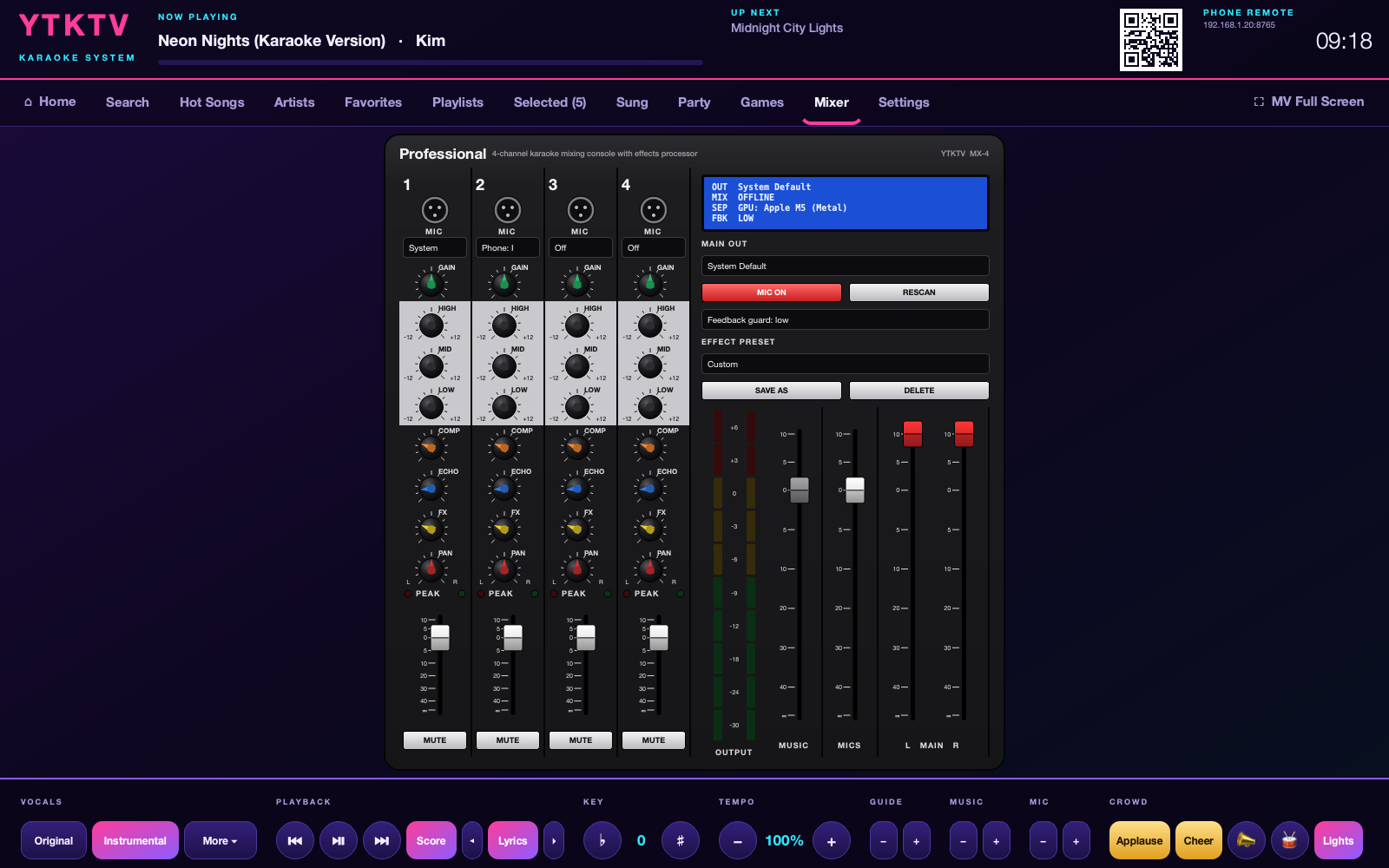
Four channels with EQ, compressor, echo, reverb, presets and a feedback guard that catches the squeal.
See your voice against the tune as you sing, then your place on tonight's leaderboard. Duets score each singer.
Lyrics that follow the singer word by word, key and tempo, danmaku, applause buttons, lights, party games with their own screens, PK battles, duets with each singer's lines in their own colour, and phones as glow sticks.
YTKTV Desk opens, times and closes rooms, takes calls and orders, runs the till with members and receipts, takes bookings, warns when stock runs low, works from several staff terminals with a log of who did what, and keeps records by day, week or month with charts and a CSV export, like a real KTV's staff terminal.
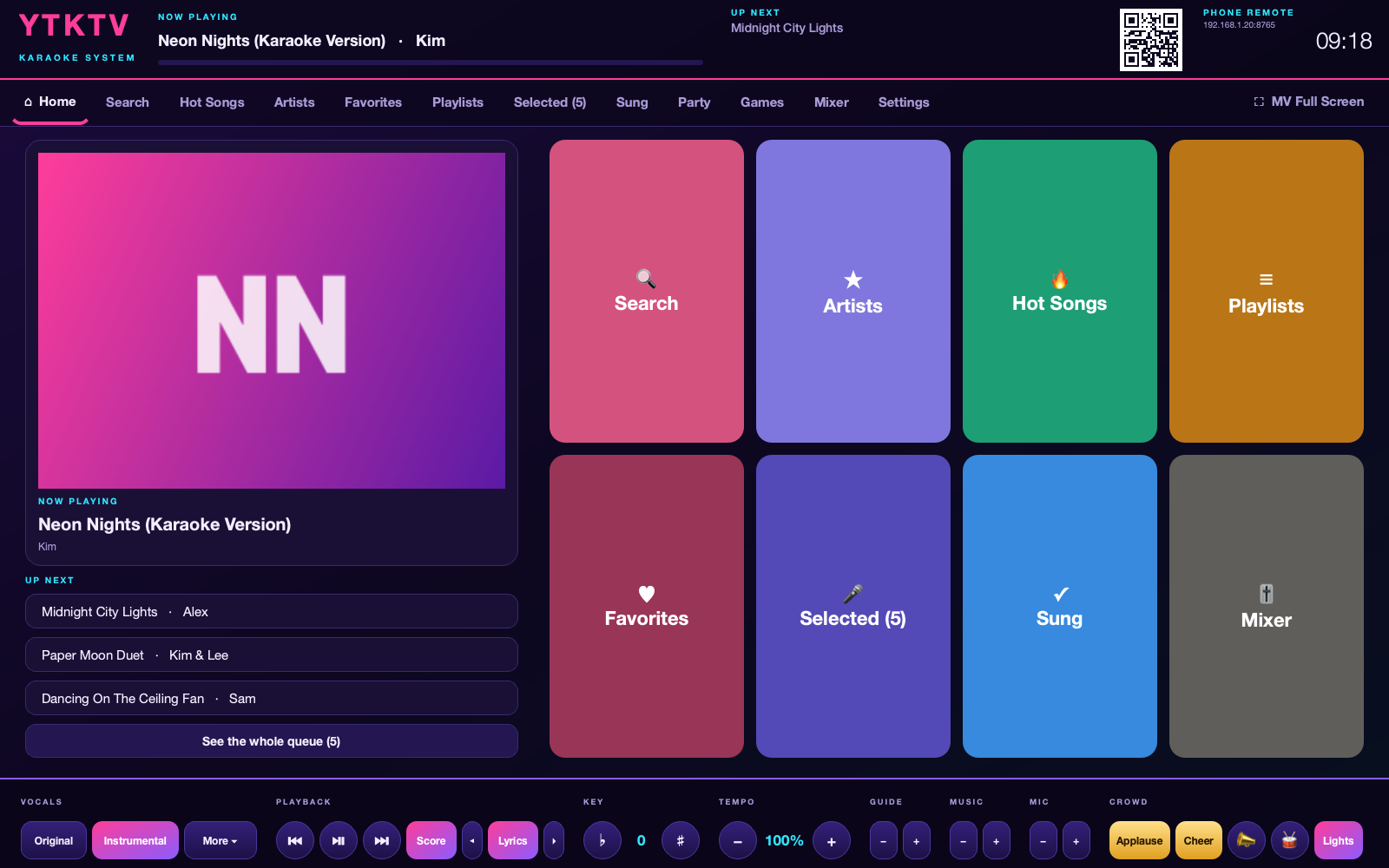
Big buttons, the queue at a glance, drag to reorder, playlists and favourites. The control bar has everything a KTV remote has.
Gain, three-band EQ, compressor, echo and reverb on every microphone, with presets for pop, ballads, rock and a big hall sound.
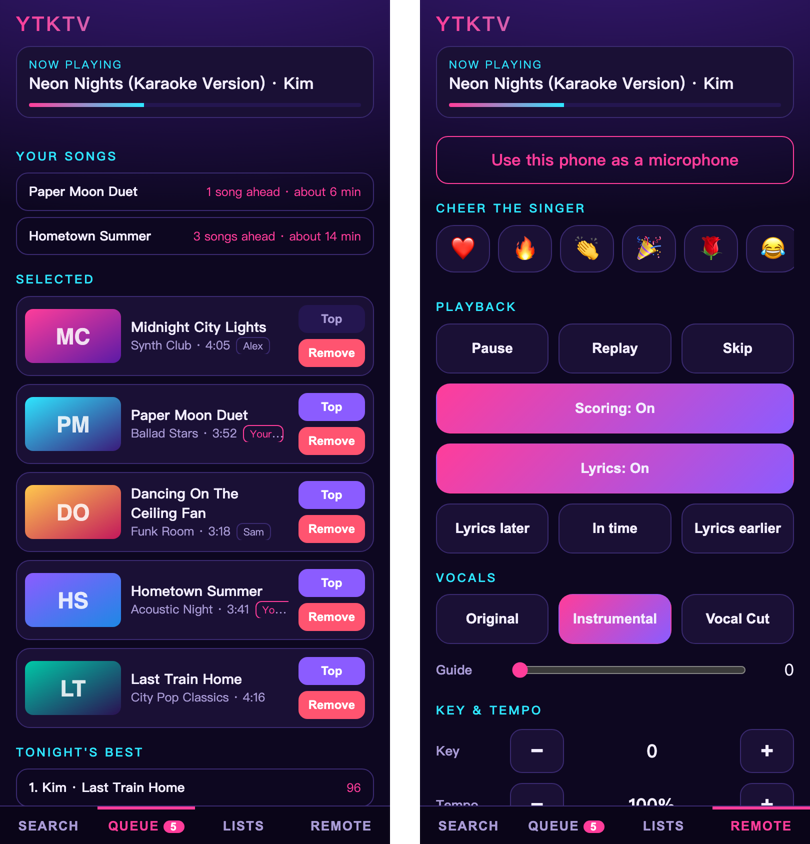
Guests scan the QR code on the TV and pick songs in the browser. Each phone sees its own songs and when it is their turn.
A first-start guide asks for the speakers, the screen and a microphone.
Download YTKTV for your computer and install it.
Plug the TV in as a second screen, with a cable for sound without delay.
Scan the QR code with a phone, pick a song and grab the microphone.
Run several rooms from one staff terminal: the adults in one room, the kids in another.
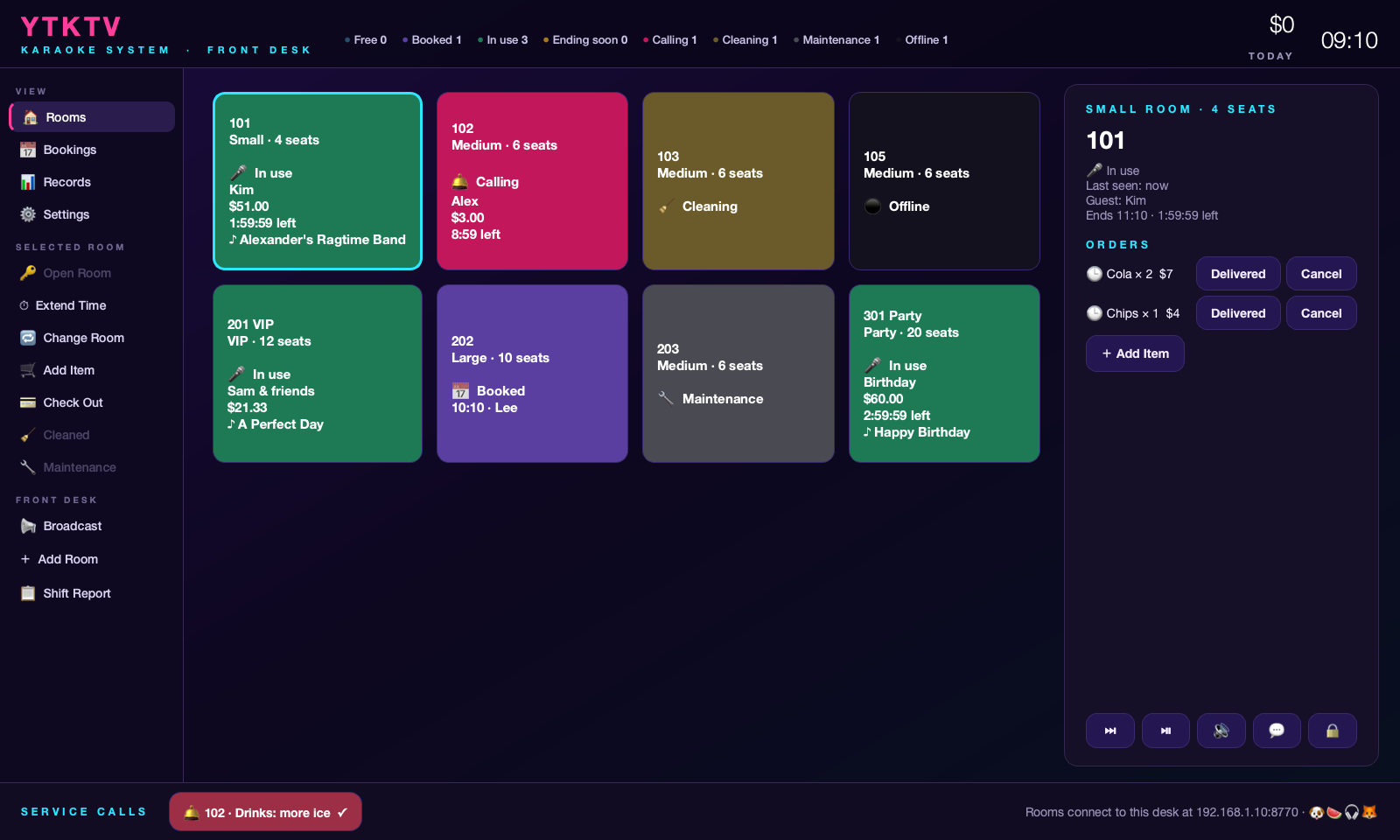
Install YTKTV Desk on one computer, then in each room open Settings → Staff Terminal, press Find Desks and enter the code the desk shows.
Free, for macOS, Windows and Linux.
ARM:
Windows on ARM ·
Linux ARM (Raspberry Pi 4/5)
Both include AI vocal separation (on the CPU; Windows on ARM runs it through Windows' x64 emulation).
YTKTV Desk (staff terminal): macOS · Windows · Linux
Easiest on macOS and Linux: paste curl -fsSL https://tonyd365.github.io/YTKTV/install.sh | bash into Terminal. On Windows: winget install TonyD365.YTKTV (YTKTV Desk: winget install TonyD365.YTKTVDesk). The installers are not signed; if you download the macOS package in a browser, run xattr -d com.apple.quarantine ~/Downloads/YTKTV-*.pkg before opening it; on Windows choose More info → Run anyway. On first start YTKTV offers to install mpv, the free video player it uses.
Live from GitHub: issues labelled roadmap. Vote with a 👍 or join the discussion.
Loading…
Yes and yes. YTKTV is free and its license allows using it in a business, such as a karaoke venue. It does not allow selling the software itself. Playing music in public usually also needs licences from the rights holders.
The speakers are almost certainly wireless: AirPlay adds one to two seconds and Bluetooth a few hundred milliseconds, and no setting can change that. Connect the speakers or TV with a cable and choose them under Mixer → MAIN OUT.
No. Apple Silicon Macs use their GPU, and on Windows and Linux YTKTV uses an NVIDIA or DirectX 12 card when there is one and the processor otherwise.
Yes, the songs come from YouTube. The next songs in the queue are downloaded ahead, so a short drop usually goes unnoticed.
Please open an issue with the version, your system and what happened.